Wednesday, September 3, 2008

Top Droppers and Referrals Past 30 Days (August)

5 comments
I'd like to set this post aside to reward the top Entrecard droppers, referring sites (blogs only), top 10 posts, as well as recent advertisers.  Without these people running these blogs, this site would not be possible.

Rewarding top droppers in a similar fashion to this will help you maintain those people who drop on frequently as well as allow people who see these lists to see the benefits that dropping can provide.

Update: You can see a list (RSS feed) of my top droppers here, however the "top" droppers may be different since this post was written.

Top 20 Entrecard Droppers
These are a few of the top droppers in the past month.
  1. What About Blog - Make Money Online
  2. Templates Treasure
  3. CDub Marketing
  4. Online Biz - My Version
  5. The Success
  6. Bizphere
  7. Cyber Camote
  8. JDBelle's Insights
  9. Belleverlasting
  10. The Techsta Blog
  11. Make Money Online with Rhyan
  12. JDMaBelleverlasting's HopeFaithnLove
  13. ThemeLib
  14. WebFrap WordPress Themes Gallery
  15. About Offshoring
  16. Strategic Market Segmentation
  17. Tricks of Blogging
  18. Gmastasquirrel
  19. TLC's Haven
  20. AdSense Addict
Recent Advertisers
Advertisers help provide additional credits to the blog owner that he or she decides to advertise on; providing an additional stream of credit "revenue" simply by being a member of the Entrecard system.
Running and future advertisers.

  1. The Ad Master
  2. Authority Directory Blog
  3. Delicious CSS
  4. Identity Crisis Girl
  5. MamaFlo's Place
  6. Sonnie's Porch
  7. Gadgets Directory
  8. AdSense Addict
  9. Belleverlasting
Top 10 Referring Sites
Large sites, including SezWho, Google, and Entrecard have been left out—this post is focused on providing a thank you to the people who have linked to this blog.

  1. Work At Home Online
  2. Work at Home Wealth
  3. Roieltest.blogspot.com (Readers-only)
  4. Pinoy Business
  5. Host Your Link
  6. Jasmin's Heart
  7. Blogging for Noobs
  8. Wolverine Hacks
  9. Suplado
  10. Suplado Online
Top 10 Posts (During August)

  1. Startup Experiment Using Entrecard
  2. Entrecard Toolbar Now Available
  3. Adding the Yahoo Buzz Widget to Any Blog
  4. August 3rd Entrecard Links
  5. How to Increase the Cost of Your Ad
  6. Entrecard Teams Up with SezWho
  7. Look at the Growth and Future of Entrecard
  8. Stats for Beginners
  9. Advertise in Most Clicked-on Location (Entrecard Blog)
  10. Largest Entrecard Contest Ever

To get on one of these lists in the beginning of October (or the next time that it is posted), simply link to this blog, advertise, or become a frequent dropper.

Tuesday, August 26, 2008

Adding the Yahoo! Buzz Widget to Any Blog

1 comments
The Yahoo! Buzz, social networking/bookmarking/content sharing website that launched approximately a week ago has slowly made its way into many blogs, both small and popular, as a "competitor" to Digg - buttons are now commonplace among Digg and StumbleUpon's "submit" links.
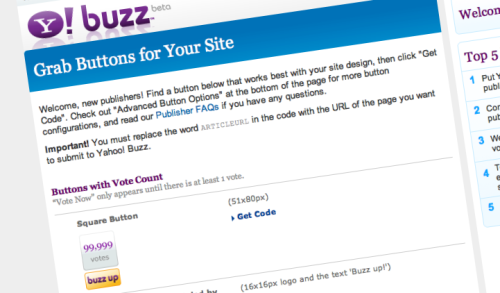
Yahoo! Buzz Widgets

Since its official launch, the service has proven that it is able to drive pretty decent amounts of traffic to sites, as long as their content is interesting and relevant, much like Digg (except without as much discrimination against content that shouldn't make it to the front page).  There have been some recognized negative aspects of the service, as I found when I tried integrating the service on different blogging platforms.

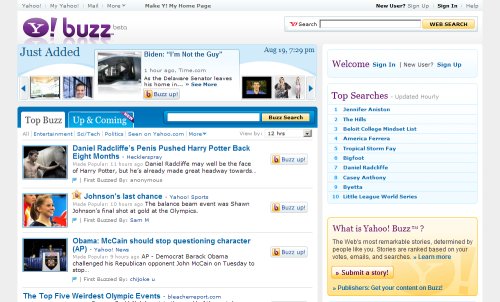
Yahoo! Buzz does something that no other service can - place a link to your article (possibly redirecting to the Buzz page before your site) on the Yahoo! home page, within the four plus featured articles.  In addition, it will appear on the Buzz homepage, starred, and in the content/image slider at the top of the page.

As an example of the traffic you can receive, Read Write Web received more than 45,000 page views within a three and a half hour period (not when most people were online, too), plus that post received more than 160 comments, versus the twenty-two the site saw on the post where they exposed the traffic figures.  Some particular ranking services (comScore, for example), have found, at least in May, that the Buzz service grew to a larger size than Digg.

In addition, if people select the widget and place it on their website with the category that your blog is in, and you happen to be featured, the post will potentially be exposed to even more visitors.

In this post, I don't want to necessarily provide information on how to integrate the submit buttons onto your website, but resources that will help you do so.

The "general" buttons that are found on the Yahoo! Buzz website were created for adding to individual pages or posts - adding a great deal of time to your already busy posting schedule!  Plus, not all links that bloggers wanted to feature on their blog were included in the set available.  The steps may appear complicated to people who have not edited their code but want a particular style of image/link on their website.

Listed below are several different versions for integrating the widget into your blog.

First, you can use the Add to Any widget (plugin and embedable) for WordPress, Widgetbox, FeedFlare, Joomla, Blogger (advanced and basic/widget versions), TypePad (advanced and basic/widget versions), Tumblr, Drupal, and other basic websites.  This may be the best option, as it is one of the first and only "add to any social networking service plugins" that allows you to integrate the Yahoo! Buzz link without editing the code.  In addition, this service allows you to add additional services right from the editing panel should you need to add another service.
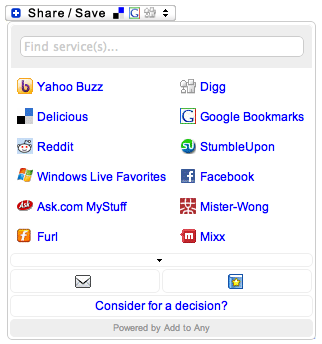
Add to Any

The ShareThis, AddThis, iBegin Share, and others do not include the Yahoo! Buzz widget by default.

An additional alternative for WordPress users is the Sociable Plugin, which adds buttons (links) to the bottom of each post. It does require editing and adding an image to the Yahoo! Buzz page, but is easier than other plugins that do not have the plugin already added.

A plugin, WPBuzz, created by Travis Johnson, allows you to automatically add a special button (similar to the Digg version) into each post.  It requires less than five steps to use the plugin (download, extract, upload, activate, then set the settings).

WordPress users can (manually) add the widget, by using the tag on this page (in the comments) instead of ARTICLEURL, provided their instructions:

Important! You must replace the word ARTICLEURL in the code with the URL of the page you want to submit to Yahoo! Buzz.

For Blogger/BlogSpot users, follow the following tips/resources to add the link to your site.

ThemeLib has created a tutorial to add the button to your website.  It involves editing the HTML/layout of your blog, but is fairly simple if you know how to do this.  Visitors will then be able to vote up each of your posts.

For any of the blogging services, you can use the buttons that Yahoo has provided, but you'll need to input the URL of each post into the script and in each post.  Placing the code in the sidebar will place a link to add your entire site (the main URL) to the service.

If you have any other suggestions as to adding the code to your website for proper usage, place leave the recommendation in the comments.
Your Advertisement Design Says a Lot About Your Blog

2 comments
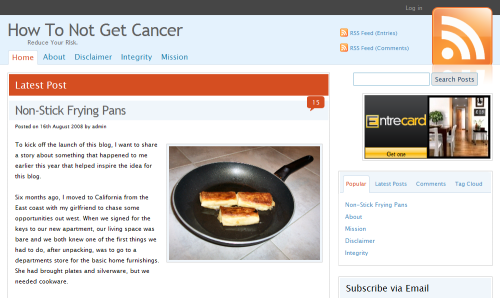
As with the whole premise of the Entrecard credit/advertising network, it is important to remember that your "125x125 pixel ad" does more than simply promote your blog.  Similar to traditional advertising, you must appeal to both your visitors, other bloggers on the network you are hoping to advertise to, as well as visitors to other bloggers (who may or may not be members of the Entrecard network).

The main ideal to remember is that your advertisement should make a bold statement about your business, website, or blog (your preference as to what you want to call it).

When designing your ad, think about the whole purpose of your site, and include some element of this on your advertisement.  For example, if you focus on your personal life, a caricature, personal photo, or other representation of yourself should ideally be placed on your advertisement.

Secondly, other members may prefer to see some type of words on the advertisement, at least until you have branded your site/advertisement to the point that anyone can recognize the image that is displayed (perhaps corresponding to the color scheme/layout/image a part of your website template).  These should include your main site title, a phrase or tagline about your site, or your name, again if you are blogging on a  personal domain using your name.

While you can always stick with the default advertisement (using a text/image combination) provided by Entrecard (as I have done), it is always better to produce your own variant of an advertisement.  If you do decide to use the default Entrecard ad/widget, make sure that your tagline and title combination are catchy, and not a run-of-the-mill title and uncreative slogan.

Another final point to remember is the fact that you are trying to get the most from this advertisement, whether you advertise your "card" on other blogs, simply use it to gain credits and/or traffic by dropping, or through other promotion methods through the system.  It must be unique, creative, and eye-catching, or you won't be able to leverage the amount of traffic that you had intended on.

Tuesday, August 19, 2008

Startup Experiment Using the Entrecard Network

0 comments
The founder of Entrecard is putting his system to work, by launching a new blog and solely depending on the Entrecard blog network to promote and grow the site.
Entrecard Experiment

Tutorials, stats, and tips will be placed on the Entrecard Blog to help other members who may be using the system for a similar purpose (growing their blog).

He started with several requisites - starting with something he felt passionately about, is an increasing trend, affecting a lot of people, and something that will have a positive contribution to society.

Every three to four days, there will be an update on the optimization techniques that took place. Starting with the WordPress blog publishing platform, several common plugins, FeedBurner, a clean theme, and relevant sidebar links, he will drop 100 cards on blogs in that particular niche, and see what happens.

First Impression: I feel that he should have waited about a month before announcing that he owned the site, as the cost of the ad already skyrocketed to 4,096 credits, putting it as one of the most expensive blogs, indicative of an established, popular, or high daily dropper.  Instead, the experiment should have taken place after the one month period was over, then continue to see the results thereafter.

Yahoo! Buzz Announcement

0 comments
Yahoo! Buzz is a new service from the world's most visited and used search engine (second, depending on the particular service measuring visitors), that may potentially help bloggers achieve new traffic levels through the use of the widget that you can place on your site.
Yahoo! Buzz

The founder of Entrecard is hoping that the Digg-like service will help fellow bloggers, as their content can be published and ranked on the site by people who visit your blog and those that visit the Yahoo! Buzz page.

Steps to install the widget are provided on the announcement post, for both Blogger and WordPress users.

I feel that this may be a good opportunity for the Entrecard blog community to gain some traffic, although the service may be restrictive, much like Digg, of allowing smaller bloggers of reaching the front page.  However, if people join together to promote each others' content, it will surely benefit all the people that integrate the widget on their blog.

Graham states that "this is the single largest opportunity to come along since Entrecard launched eight months ago."

In other news, Entrecard has broken the 17,000 active bloggers mark, with traffic in July breaking the one million unique visitor and 2.57 million page view mark for the first time, an 8% increase month over month in visitors.